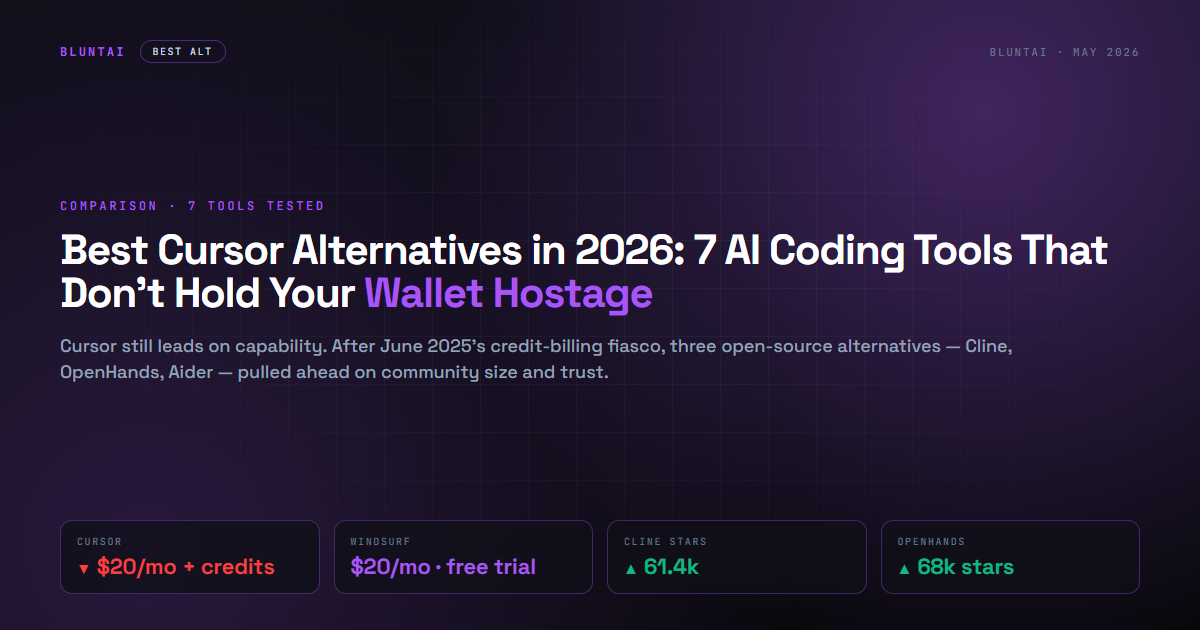
Best Cursor Alternatives in 2026: 7 AI Coding Tools That Don’t Hold Your Wallet Hostage
If you searched “Cursor alternatives” today, you almost certainly know why. In June 2025 Cursor switched its $20/mo Pro plan from a request-based model to a credit-based system tied to model API costs. The result was developers waking up to bills 20× higher than the month before, agent loops eating a Pro subscription in two days, and a public apology from CEO Michael Truell on July 7 promising refunds. The trust didn’t fully come back. Almost a year later, Cursor is still the best-in-class AI IDE for production work — and it is no longer the obvious default.

So what do you use instead? We tested seven alternatives that compete with Cursor’s “AI-native IDE plus autonomous agent” use case. Some are direct replacements with the same paradigm. Some are speed monsters that don’t pretend to be agents. Some are free, open-source, and shipping faster than the paid options. Here is the short list, ranked.
The 7 alternatives, ranked
1. Windsurf — the closest direct replacement
What it is: An AI-native IDE that looks and feels like Cursor, but built around Cascade — arguably the most innovative agent loop in the category. Windsurf reads your project state, plans multi-step tasks, and runs them with checkpoints. The IDE is a fork of VS Code with deep agent integration baked in.
Pricing: Free tier with light agent quota and unlimited inline edits. Pro $20/month with 2-week free trial, full access to frontier OpenAI, Claude, and Gemini models. Max $200/month for high-volume teams.
Where it wins: The free tier is genuinely usable — unlimited Tab autocomplete on every plan, light Cascade quota that’s enough to evaluate. The 2-week Pro trial is real (no credit card required up front). Cascade’s “Arena mode” lets you run two agents in parallel and pick the better output.
Where it loses: Windsurf raised Pro from $15 to $20 in early 2026, so the “cheaper than Cursor” pitch is dead. Pricing parity now means you’re picking based on agent UX, not budget. Some developers report Cascade overshoots simple tasks (refactors files you didn’t ask it to touch).
Our take: If you liked Cursor’s IDE-as-agent paradigm but burned out on the credit-based billing whiplash, Windsurf is the lateral move. Cascade is good. The free tier alone makes it worth installing alongside whatever you already use.
Rating: Solid, no drama.

2. Zed — the speed monster
What it is: A native code editor written in Rust, with AI features bolted on as a second-class citizen. Zed boots in under half a second. Input latency is under 2 milliseconds. The editor itself is what you pick when Cursor and Windsurf feel slower than your brain.
Pricing: Editor is free forever. Optional Pro at $10/month for AI features (which we covered the math on in detail here — Pro is $10 sticker but most active devs land at $20/mo with usage). You can also BYOK with your own Anthropic, OpenAI, or OpenRouter key and skip the subscription entirely.
Where it wins: Performance. Nothing else in this list comes close on raw responsiveness. Zed’s multiplayer collaboration is also legitimately impressive — real-time co-editing without the lag of VS Code Live Share. The BYOK story is the cleanest in the category: no markup, no quotas, you pay providers directly.
Where it loses: The agent isn’t Cursor’s agent. Zed’s Edit Predictions and Agent Panel are closer to “smart autocomplete with chat” than “autonomous multi-file refactor.” If you bought Cursor specifically for agentic coding, Zed feels like a downgrade in capability even if it’s an upgrade in speed.
Our take: Pick Zed when the editor’s responsiveness is the thing you’d pay for. Pair it with OpenRouter or Claude API for AI access on your own terms. The lifetime cost is lower than any paid alternative if you have moderate usage.
Rating: Solid, no drama.
3. Claude Code — the benchmark king
What it is: Anthropic’s terminal-based autonomous coding agent. Not an IDE. You run it in your shell, it reads your codebase, it ships PRs. As of April 2026 it leads the open coding benchmarks at 80.8% on SWE-bench Verified — the highest score of any product in this list.
Pricing: Bundled with Claude Pro $20/mo (with daily message caps) or Claude Max from $100/mo. As of April 4, 2026, Anthropic closed the third-party loophole — you can no longer use a Claude subscription to power tools like OpenClaw. Pay-as-you-go API access still available at Sonnet 4.6 ($3/$15 per M tokens) or Opus 4.6 ($5/$25).
Where it wins: Reasoning depth. For complex multi-file refactors, debugging across modules, or task plans that span days, Claude Code’s 1M-token context window and multi-agent orchestration are unmatched. The benchmark lead isn’t marketing — it’s reproducible.
Where it loses: No IDE. You’re in the terminal. Some developers love this (composes well with tmux, can pipe outputs). Many do not. The pricing model is also the most volatile in the category — silent cache TTL changes, the third-party crackdown, and message caps that move without notice all hurt the trust budget.
Our take: If you do hard engineering work and the IDE form factor doesn’t matter to you, Claude Code is the most capable agent on the market. If you want it inside an editor, you’re on Cursor or Windsurf with a Claude API key.
Rating: Shut up and try it (for terminal lovers).
4. Cline — the open-source heavyweight
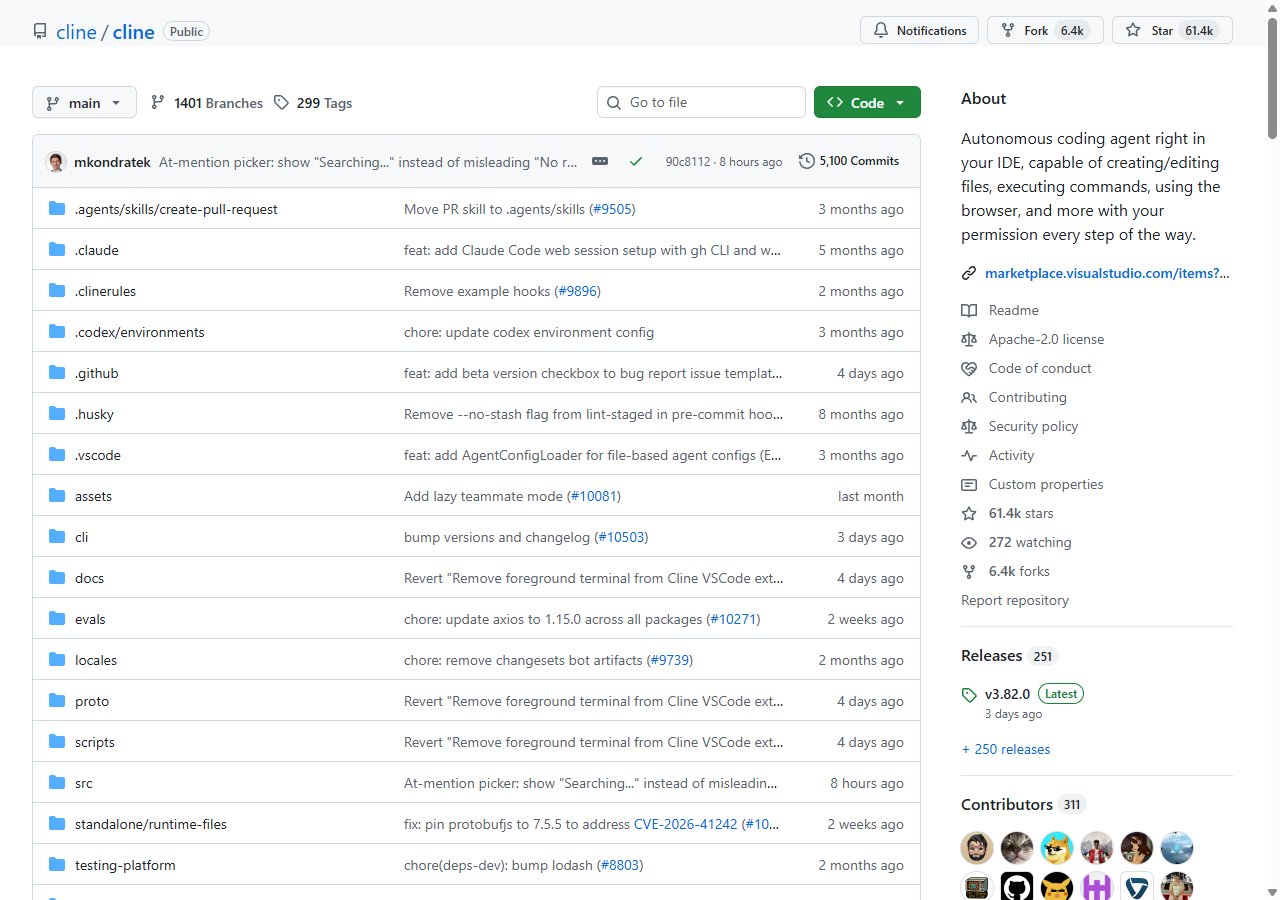
What it is: A VS Code extension that runs as an autonomous coding agent with a human-in-the-loop approval step on every action. Free, Apache 2.0, BYOK. 61,000+ GitHub stars, 311 contributors, 251 releases. Not a side project — this is one of the most starred dev tools on GitHub, period.
Pricing: $0. You bring your own API key (Anthropic, OpenAI, OpenRouter, Bedrock, Vertex, local Ollama). Per-request cost is whatever your provider charges, no markup.
Where it wins: Transparency. Every tool call shows you exactly what Cline is about to do, and you approve or reject. No hidden agentic loops eating your budget. MCP server integration. Plan/Act mode (lets the agent plan first, you review the plan, then it executes). The extension installs in stock VS Code — no editor switch.
Where it loses: Setup is yours. You configure the API key, you pick the model, you tune the system prompt. For a developer this is fine. For a designer or PM occasionally writing scripts, it’s friction. No one is on the other end of a “support” ticket if something breaks.
Our take: If you want Cursor’s autonomy without Cursor’s billing, Cline is the answer. The 61k stars are deserved. We use it for autonomous tasks where the cost of a runaway loop matters and we want a kill switch on every action.
Rating: Shut up and download it.
5. Aider — the CLI pair-programmer
What it is: A terminal-based AI pair programmer with deep git integration. You run aider in your repo, point it at the files you want to edit, and it makes changes with auto-commits at every step. 41,000 GitHub stars, Apache 2.0, BYOK.
Pricing: $0 + your model API costs. Works with any model that has chat completions.
Where it wins: Git workflow integration is unmatched. Every change Aider makes becomes a commit, with a message generated from the prompt. If you don’t like a change, git reset. If you love a change, it’s already committed. Composes beautifully with shell pipelines — you can wrap Aider in scripts, run it on cron, automate refactors.
Where it loses: CLI only. No autocomplete, no inline edits, no UI. If your workflow involves clicking through file trees and previewing changes visually, Aider is not for you. The mental model is “AI commits changes to my repo,” not “AI suggests edits in my editor.”
Our take: Aider is for developers who already live in tmux + neovim + git, who consider the IDE a graveyard of distraction. It is the most “Unix philosophy” tool in this list. Pair it with a fast model (Haiku, GPT-5.4-mini) for cheap, fast iteration.
Rating: Solid, no drama.
6. Continue — the configurable middle ground
What it is: An open-source IDE extension (VS Code + JetBrains) that gives you a configurable AI coding assistant. Less autonomous than Cline, more flexible than autocomplete. 31,000 GitHub stars, Apache 2.0.
Pricing: $0 with BYOK. Continue Hub adds an optional team-collaboration layer if you want shared prompts and rules.
Where it wins: Configurability. Continue exposes every prompt, every model selection, every context provider as edit-able config. If you want to wire Claude Sonnet for autocomplete, GPT-5.4 for chat, and a local Llama for privacy-sensitive code, Continue lets you. JetBrains support — rare in this category — matters if you live in IntelliJ or PyCharm.
Where it loses: Less “agentic” than Cline or Cursor. Continue is a chat + completion + edit assistant; it doesn’t run multi-step autonomous tasks the way Cline does. The configurability comes at a UX cost — getting to a perfect setup requires a Saturday afternoon of YAML.
Our take: If your stack includes JetBrains IDEs, or if you have strong opinions about which model handles which task, Continue is the unique fit. For autonomous agent work, you’d still pair it with Cline or Aider on the side.
Rating: Solid, no drama.
7. OpenHands — the wildcard for non-coders
What it is: An open-source autonomous AI software engineer (formerly OpenDevin), 68,000 GitHub stars, MIT licensed. Runs as a containerized agent that can write, run, and debug code in a sandboxed environment. Closer to “give it a task, walk away” than any IDE-based option here.
Pricing: $0 + your API costs. Self-host the runtime via Docker.
Where it wins: The most autonomous of the bunch. Designed for tasks where you describe a feature and the agent goes off and ships it across many files, runs the tests, debugs failures. No editor required — the interface is a chat with a containerized engineer.
Where it loses: Setup is the heaviest in this list (Docker, runtime, model config). Stability on long-running tasks is still spotty — expect runaway loops if you don’t put a token budget cap on the API key. Not for casual users.
Our take: OpenHands is the closest open-source equivalent to “fire and forget” agentic coding. If you have a Claude or OpenAI API key with a sensible cap, and a problem that’s well-specified enough to delegate, this works. For interactive coding it’s the wrong shape.
Rating: Meh (today). Shut up and watch it (in 6 months — the trajectory is steep).
At-a-glance comparison
| Pricing | Free tier | Form factor | Agent autonomy | License | |
|---|---|---|---|---|---|
| Cursor (incumbent) | $20/mo + credits | Limited | VS Code fork | High | Closed |
| Windsurf | $20/mo | Real, usable | VS Code fork | High (Cascade) | Closed |
| Zed | Free / $10 Pro / BYOK | Editor 100% free | Native Rust editor | Medium | GPL-3 editor |
| Claude Code | $20-200/mo or API | None | Terminal | Highest (benchmarks) | Closed |
| Cline | Free + BYOK | 100% free | VS Code extension | High (with approval) | Apache 2.0 |
| Aider | Free + BYOK | 100% free | CLI | Medium | Apache 2.0 |
| Continue | Free + BYOK | 100% free | VS Code + JetBrains | Low | Apache 2.0 |
| OpenHands | Free + BYOK + Docker | 100% free | Containerized agent | Highest | MIT |
How to pick
You loved Cursor’s vibe but hate the credit billing. Try Windsurf first. Same paradigm, similar feature set, real free trial.
You want raw editor speed. Zed. Pair with OpenRouter or Claude API for BYOK AI access.
You do hard engineering and don’t care about IDEs. Claude Code. Best benchmarks, terminal-native, expensive to run autonomously but unmatched on capability.
You want autonomy without billing surprises. Cline. The kill switch on every action plus BYOK is the safest financial setup of any agentic option.
You live in the terminal already. Aider. Git-native, scriptable, composes with everything.
You’re a JetBrains person. Continue. The only serious option in this list with first-class JetBrains support.
You want to delegate well-specified tasks and walk away. OpenHands. Set a token budget, give it a task, check back in an hour.
The Blunt takeaway
Cursor remains technically the best AI IDE for production work in May 2026. The product is excellent. The pricing model and the trust deficit from June 2025 are the reasons developers are looking elsewhere — not because the alternatives have caught up on every dimension, but because the alternatives are now good enough for most real workflows.
Three of the seven alternatives in this list are open source and free. Two of those (Cline at 61k stars, OpenHands at 68k) are among the most-starred developer tools on GitHub, period. That’s not “fan project that might disappear next year” territory. That’s a genuine open ecosystem outpacing the paid options on community size and release velocity.
If you’re paying $20/mo for an AI IDE in 2026, you should be paying it because the IDE saves you more than $20/mo of time, not because you assume there’s no free alternative. There is. Several. They are good. Try them this week.
Related on BluntAI
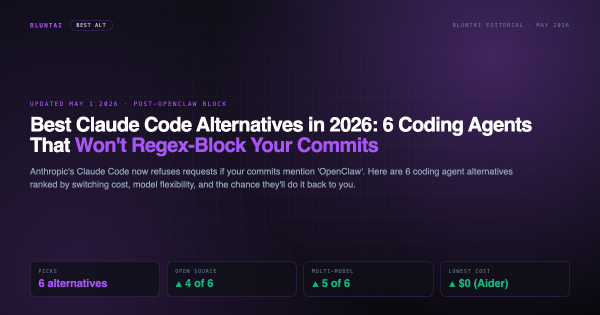
- Best Claude Code alternatives in 2026
- The Zed + OpenRouter math against Claude Code pricing
- How Anthropic broke trust with developers in 2026
All opinions expressed on BluntAI are editorial opinions based on publicly available information and personal testing. Pricing data current as of May 2026. We may earn affiliate commissions from links on this site.



Disclaimer: BluntAI may earn affiliate commissions from links in this article. This never influences our reviews. We buy and test everything ourselves. Our opinions are brutally our own.