Best Self-Hosted LLM Stacks in 2026: 6 Inference Engines Tested for Production
If you’re paying $200/month for a Claude or GPT subscription that throttles you in 4-hour bursts, you’re paying tax. Self-hosted LLMs in 2026 are dramatically more capable than they were a year ago — DeepSeek V4, Llama 4, Gemma 4, Qwen 3 — all open-weights, all fits on a single 4090 or rentable A100. The bottleneck isn’t the models anymore. It’s the serving stack.
We tested six self-hosting stacks across developer experience, throughput, hardware breadth, and production-readiness. The market has consolidated into clear winners by use case. One incumbent (Hugging Face TGI) just went into maintenance. Here is the short list.
The 6 self-hosted LLM stacks, ranked
1. Ollama — the developer default
What it is: The “one command and you have an LLM” stack. Install Ollama, run ollama pull llama4, then ollama run llama4 — and you have a local model you can chat with or hit via OpenAI-compatible API on localhost:11434. No Docker, no Python venv, no GPU driver tuning required for most consumer hardware.
Pricing: Free (MIT). Optional Ollama Cloud subscription (introduced 2025) for hosted models on Ollama-managed infrastructure if you don’t have a GPU.
Where it wins: Developer experience. Nothing in this list comes close on first-time-to-running-model. Mac/Linux/Windows installers all work out of the box. Built-in model library (Llama 4, Gemma 4, Qwen 3, DeepSeek V4 variants, plus dozens of community models). OpenAI-compatible API means most existing app code works with a one-line config change.
Where it loses: Doesn’t scale past single-user. Ollama is built for one developer, one machine. If you’re trying to serve 100 concurrent users, throughput collapses — this is not what Ollama is for. Quantization options are sane defaults, not power-user knobs. Multi-GPU support exists but is far behind vLLM.
Our take: Use Ollama for development, prototyping, and personal use. The “one command” install is genuinely the right starting point in 2026. When your prototype turns into production traffic, switch to vLLM. They’re not competitors — they’re sequential steps.
Rating: Shut up and download it (for development).
2. vLLM — the production king
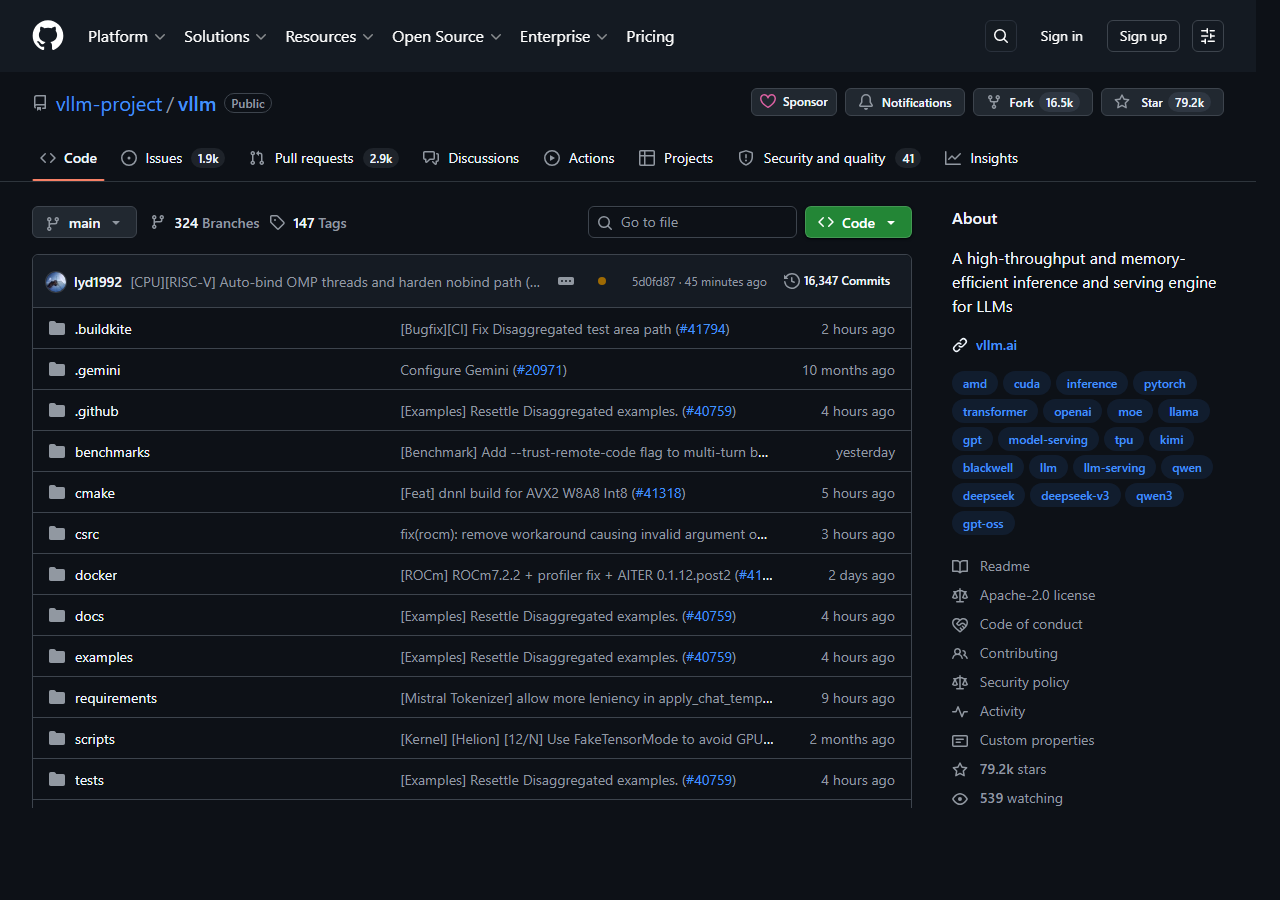
What it is: A high-throughput inference and serving engine designed specifically for production LLM workloads. Originated at UC Berkeley with the PagedAttention paper, now 79.2K GitHub stars, used by OpenAI’s gpt-oss serving and by basically every serious LLM cloud. Apache 2.0.
Pricing: Free (Apache 2.0). You pay for the GPUs you serve on.
Where it wins: Throughput. vLLM’s PagedAttention reduces memory fragmentation by 50%+ and increases concurrent request throughput by 2-4× over a naive baseline. Continuous batching means new requests join the in-flight batch without waiting for slot timeout. Multi-GPU sharding (tensor parallel, pipeline parallel) is first-class. Serves 100+ concurrent users on a single A100 for typical chat workloads.
Where it loses: Setup overhead. You’ll spend a Saturday on CUDA versions, model conversion, and serving config before you have a working endpoint. Hardware breadth is mostly NVIDIA — AMD ROCm support exists and improves quarterly, but isn’t at parity. CPU-only is not vLLM’s game.
Our take: vLLM is the right choice when “this app is going to production with concurrent users” describes your use case. The 79K stars, the active fortnightly releases, and the fact that Hugging Face themselves now recommend vLLM (after putting their own TGI into maintenance) make this the safest production bet in the category.
Rating: Shut up and buy it (for production serving).
3. llama.cpp — the low-level workhorse
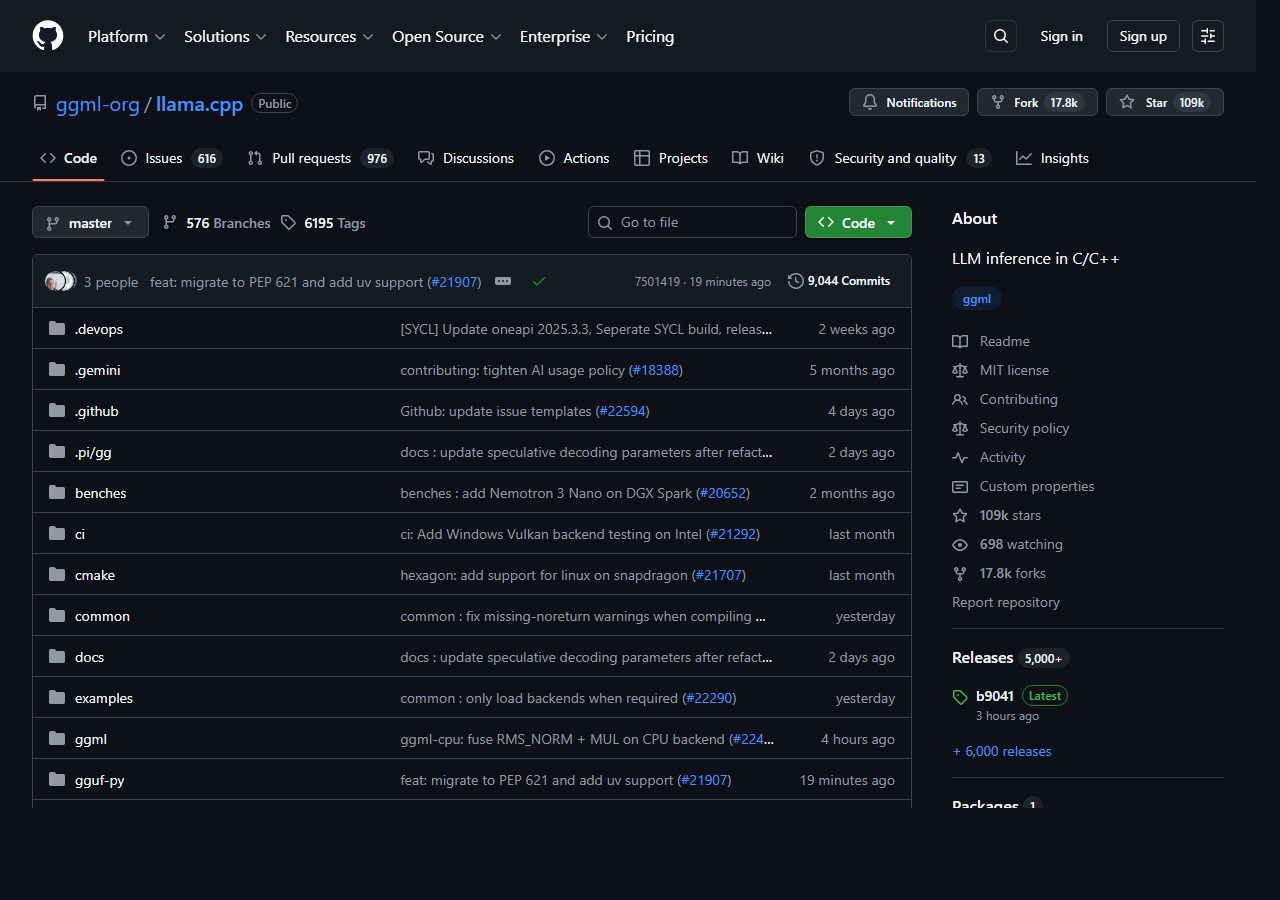
What it is: The C/C++ inference engine that quietly powers half the local-LLM ecosystem — 109K GitHub stars, MIT licensed, actively maintained by Georgi Gerganov and a community of 800+ contributors. Designed for CPU-fast inference with optional GPU acceleration via CUDA, Metal, Vulkan, ROCm, and SYCL.
Pricing: Free (MIT).
Where it wins: Hardware breadth. llama.cpp runs on basically anything — Apple Silicon, Intel CPU, AMD GPU, NVIDIA GPU, ARM phones, even Raspberry Pi for tiny models. CPU-only inference is faster here than anywhere else thanks to hand-tuned SIMD and the GGUF quantization format. The lowest-level control if you want to squeeze every token-per-second out of a consumer GPU.
Where it loses: Developer experience. You compile from source, you pick the right backend (CUDA? Metal? Vulkan?), you convert your model to GGUF before loading. None of this is hard, but it’s friction Ollama abstracted away. For a “let me just chat with a local model” use case, Ollama wraps llama.cpp anyway and saves you the steps.
Our take: Reach for llama.cpp directly when you’re embedding LLM inference into a desktop app, an edge device, or a non-standard architecture (Snapdragon, Apple Silicon optimized, etc.). For everything else, you’re using llama.cpp through Ollama or LM Studio.
Rating: Shut up and buy it (for low-level / embedded / cross-platform).
4. LM Studio — the GUI-first option
What it is: A desktop application (Mac, Windows, Linux) for running local LLMs through a polished UI. Built-in model browser pulls directly from Hugging Face. Built-in chat interface. Built-in OpenAI-compatible local server you can toggle on with a switch.
Pricing: Free for personal use. Commercial licensing available.
Where it wins: The smoothest path to a working chatbot for non-technical users. Click a button, pick a model from the catalog, click Download, click Chat — and you’re talking to a local LLM. The local server toggle for OpenAI-compatible API is the cleanest in the category. For demos, internal tools, or “give grandma a private ChatGPT,” LM Studio wins.
Where it loses: Single-machine, single-user. Like Ollama, this is not a production serving stack. The closed-source UI puts off some users (the inference is via llama.cpp under the hood; the wrapper is not open). Less flexible than Ollama for scripting/automation.
Our take: Recommend LM Studio to teammates who want a local LLM but don’t live in the terminal. For developers, Ollama is faster to script. For production, neither.
Rating: Solid, no drama.
5. SGLang — the production challenger
What it is: A newer high-performance LLM serving framework, originated at UC Berkeley alongside vLLM. Optimizes serving for structured outputs, function calling, and reasoning models with KV-cache reuse across related requests. Now actively recommended by Hugging Face as a TGI replacement.
Pricing: Free (Apache 2.0).
Where it wins: Throughput on reasoning-heavy and structured-output workloads. RadixAttention (the SGLang equivalent of vLLM’s PagedAttention) is particularly strong for prompts that share large prefixes — agent loops, RAG with shared context, structured constrained decoding. For DeepSeek V4 and other reasoning models, SGLang often outperforms vLLM by 20-40% on aggregate throughput.
Where it loses: Smaller community than vLLM, less third-party integration, less hardware coverage outside NVIDIA. The structured-output tooling is excellent, but if your use case is just “serve a chat model,” vLLM is the more mature default.
Our take: Watch SGLang. For specific workloads (agentic, RAG-heavy, reasoning-heavy with shared prefixes) it’s already the better pick. For general-purpose serving, vLLM still wins on ecosystem maturity. The gap is closing.
Rating: Solid, no drama (today). Shut up and try it in 6 months.
6. Hugging Face TGI — the legacy option in maintenance
What it is: Hugging Face’s text generation inference server. Production-grade serving with continuous batching, token streaming, tensor-parallel sharding, Prometheus metrics. Used as the inference backbone of Hugging Face Inference Endpoints and dozens of large enterprises.
Pricing: Free (with the catch below).
Where it wins: Production-readiness for the workloads it supports. Native integration with Hugging Face Hub. Battle-tested observability (Prometheus, OpenTelemetry).
Where it loses: TGI is now in maintenance mode. The repository is archived read-only. Hugging Face explicitly recommends vLLM or SGLang for new deployments. The same pattern as AutoGen in our agent frameworks roundup — a popular framework, large user base, then quiet abandonment as the company’s strategic focus moved.
Our take: If you have an existing TGI deployment, plan migration to vLLM or SGLang within 12 months. For new projects, skip TGI — the maintenance status alone disqualifies it. The original team’s energy is elsewhere; bug fixes are minimal.
Rating: Save your money (new projects). Meh (legacy use, plan migration).
At-a-glance comparison
| Best at | Throughput at scale | Hardware | License | Status | |
|---|---|---|---|---|---|
| Ollama | DX, prototyping | Single-user only | Mac/Linux/Win | MIT | Active |
| vLLM | Production serving | 2-4x baseline | NVIDIA primary | Apache 2.0 | Active (default) |
| llama.cpp | Cross-platform / CPU | Single-user | Anything | MIT | Active |
| LM Studio | GUI / non-tech users | Single-user | Mac/Linux/Win | Free personal | Active |
| SGLang | Reasoning / RAG / agentic | 20-40% > vLLM | NVIDIA primary | Apache 2.0 | Active (rising) |
| HF TGI | (legacy) | Was competitive | NVIDIA primary | Apache 2.0 | Maintenance |
How to pick
You’re a developer wanting a local LLM right now. Ollama. One install command. You’ll be running Llama 4 or DeepSeek V4 within five minutes.
You’re shipping an app to production with concurrent users. vLLM. PagedAttention, multi-GPU support, the entire ecosystem is built around it.
Your workload is reasoning-heavy or RAG-heavy with shared prompts. SGLang. RadixAttention is the right primitive here; benchmarks confirm 20-40% throughput wins.
You’re on Apple Silicon, AMD, or non-standard hardware. llama.cpp. Best cross-platform inference, hand-tuned SIMD, multiple GPU backends.
You want a desktop chatbot for non-developers. LM Studio. Click-to-chat, model browser, no terminal.
You inherited a TGI deployment. Keep it running for now. Plan migration to vLLM within 12 months. The maintenance status will become a liability.
The Blunt takeaway
Self-hosted LLMs in 2026 are no longer a hobbyist concession. The models are good (Llama 4, DeepSeek V4, Gemma 4, Qwen 3 all close to or matching closed-model quality on most benchmarks). The hardware is rentable ($1.50/hr A100 on RunPod, $3/hr H100 on Lambda). The serving stacks are mature. The total cost of running a 70B model in production is now lower than the equivalent OpenAI / Anthropic API spend at moderate volume.
The right stack is workload-shaped:
- Dev: Ollama for first-day setup, llama.cpp if you need cross-platform.
- Production: vLLM for general serving, SGLang for reasoning/RAG-heavy.
- End-user products: LM Studio for GUI-first; Ollama for “embed in my app.”
The most common mistake in 2026 is using Ollama in production. It’s not what Ollama is for. The second-most-common mistake is running TGI on a fresh project — check the maintenance banner before you commit.
If you’re still paying $200/month for a Claude Max subscription that throttles you under load, run the math on a self-hosted setup. The economics increasingly favor the latter.
Related on BluntAI
- Gemma 4 review — the open-weights option that runs locally
- Best AI memory layer alternatives in 2026
- Best AI agent frameworks in 2026
- Why Anthropic broke trust with developers in 2026
All opinions expressed on BluntAI are editorial opinions based on publicly available information and personal testing. Pricing and status data current as of May 2026. We may earn affiliate commissions from links on this site.
Disclaimer: BluntAI may earn affiliate commissions from links in this article. This never influences our reviews. We buy and test everything ourselves. Our opinions are brutally our own.